ChefsRecords

Built by a working Executive Chef

Food safety records, sorted.

Temperature checks, daily checklists, incidents with an owner and staff records - all in one app.

14 days free. No card required. Your records stay in the UK.
On iPhone in the UK. Android version in development.

Where it fits

Know what is actually happening in your kitchen.

ChefsRecords is a food safety and staff management app for chef managers, head chefs, and sous chefs working in UK kitchens.

Your kitchen runs on records - temperature checks, opening and closing routines, the evidence that the job got done. ChefsRecords keeps those records for you, then adds the layer most systems miss: what went wrong, who was involved, what you did about it, and whether it is happening again.

When an Environmental Health Officer looks at confidence in management, these records are part of the evidence they will want to see - alongside your food safety management system.

Works with no signalCloud syncUK-focused

How it works

Done on the pass, not in the office.

Opening

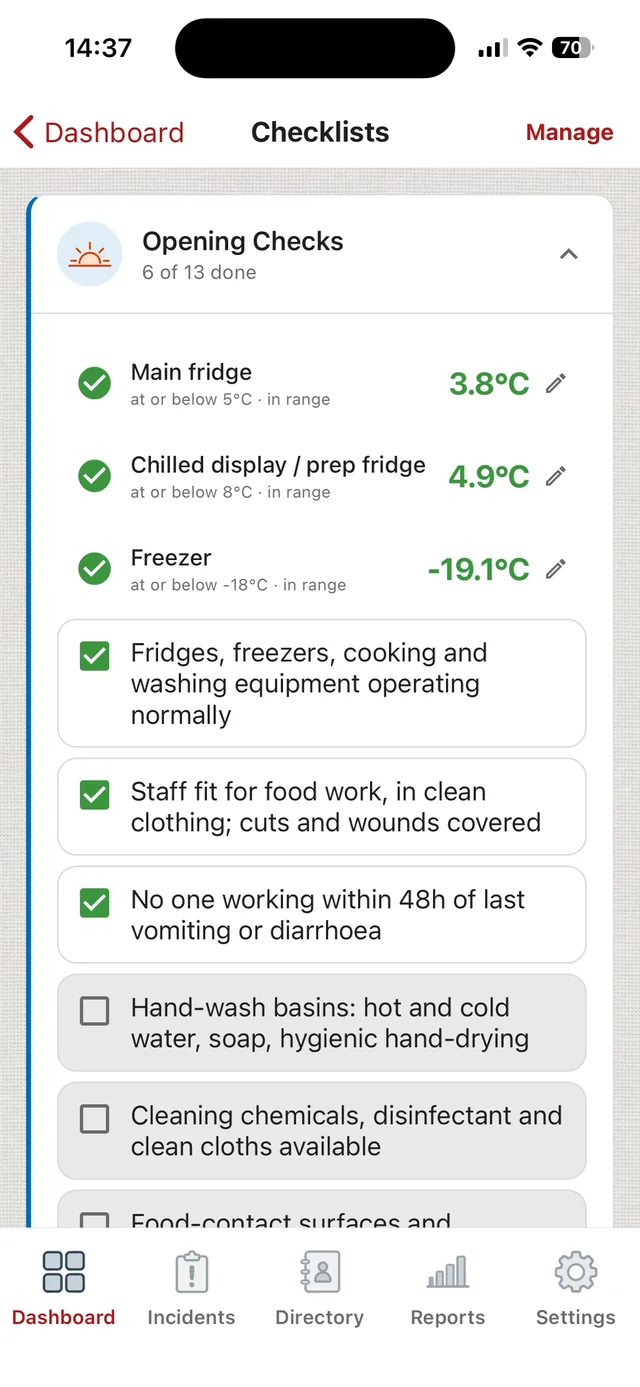
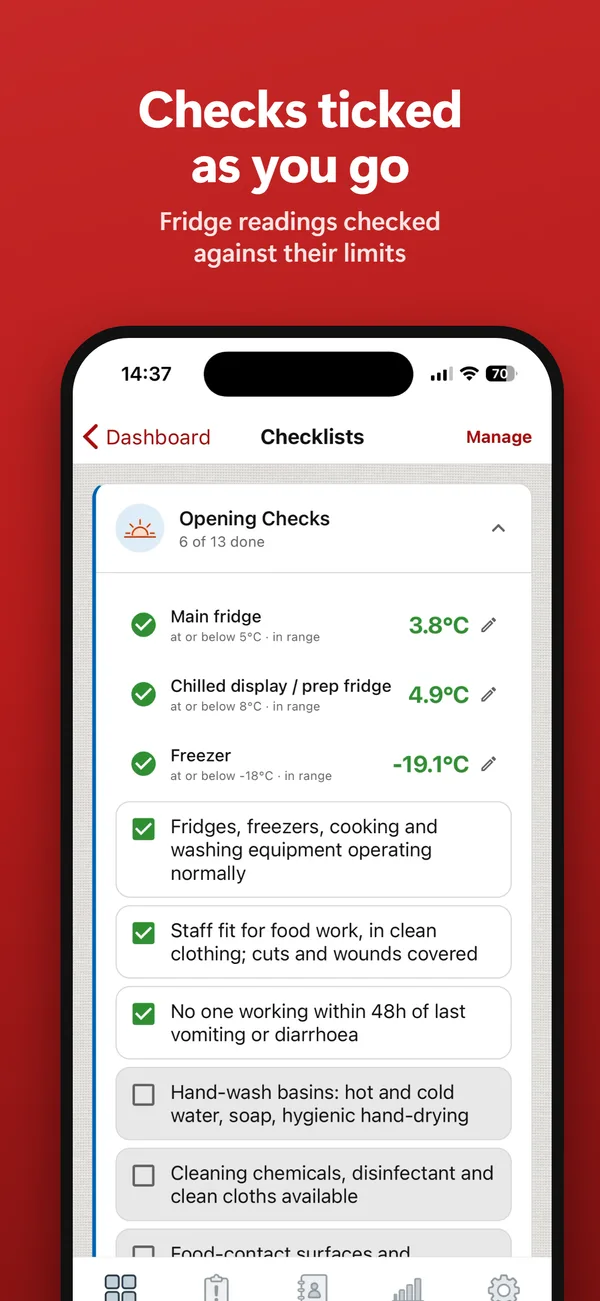
Checks ticked as you go.

Fridge readings checked against their limits.

ChefsRecords opening checks in progress: main fridge 3.8C, chilled display 4.9C and freezer -19.1C recorded against their limits, with the hygiene checks being ticked off
Cooling

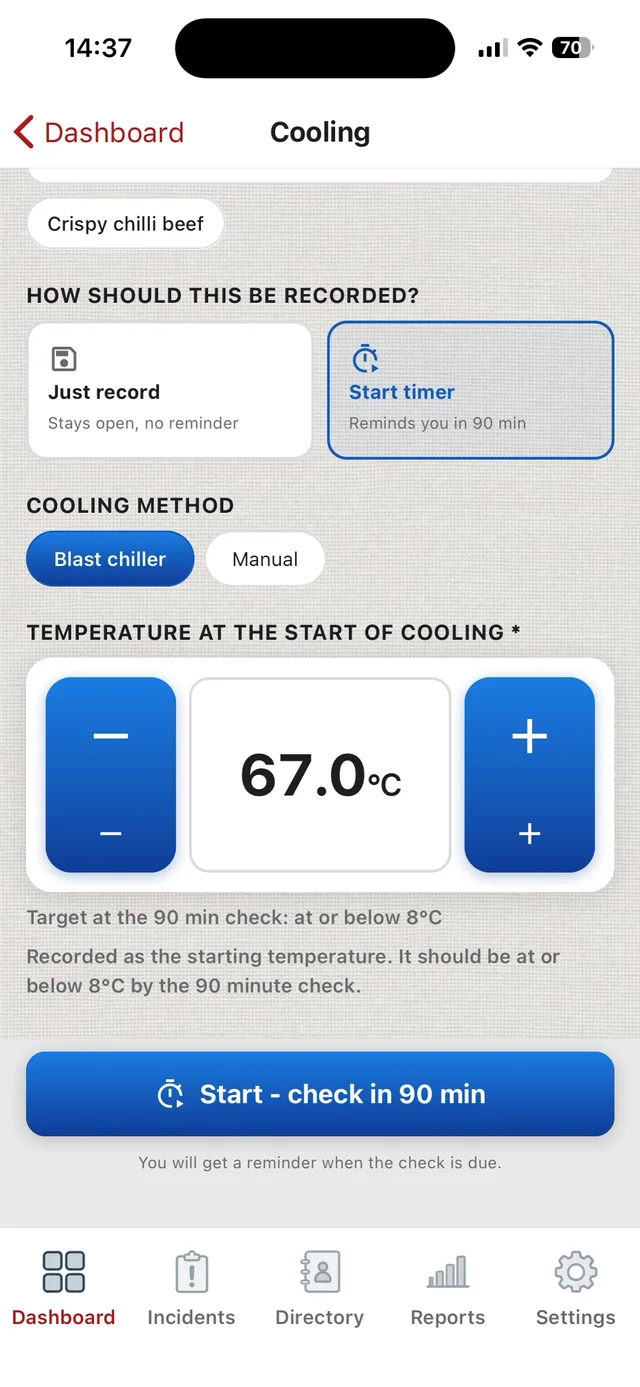
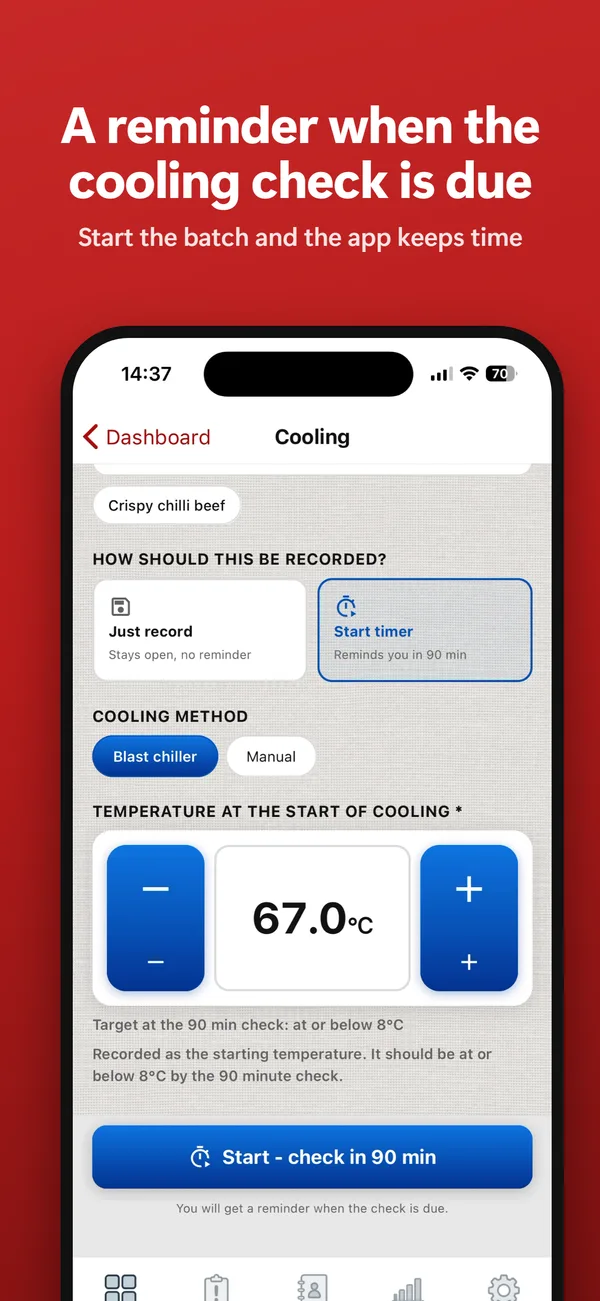
A reminder when the cooling check is due.

Start the batch and the app keeps time.

ChefsRecords cooling record being started: a batch going into the blast chiller at 67.0C, with a timer that reminds you when the 90 minute check is due
Through the day

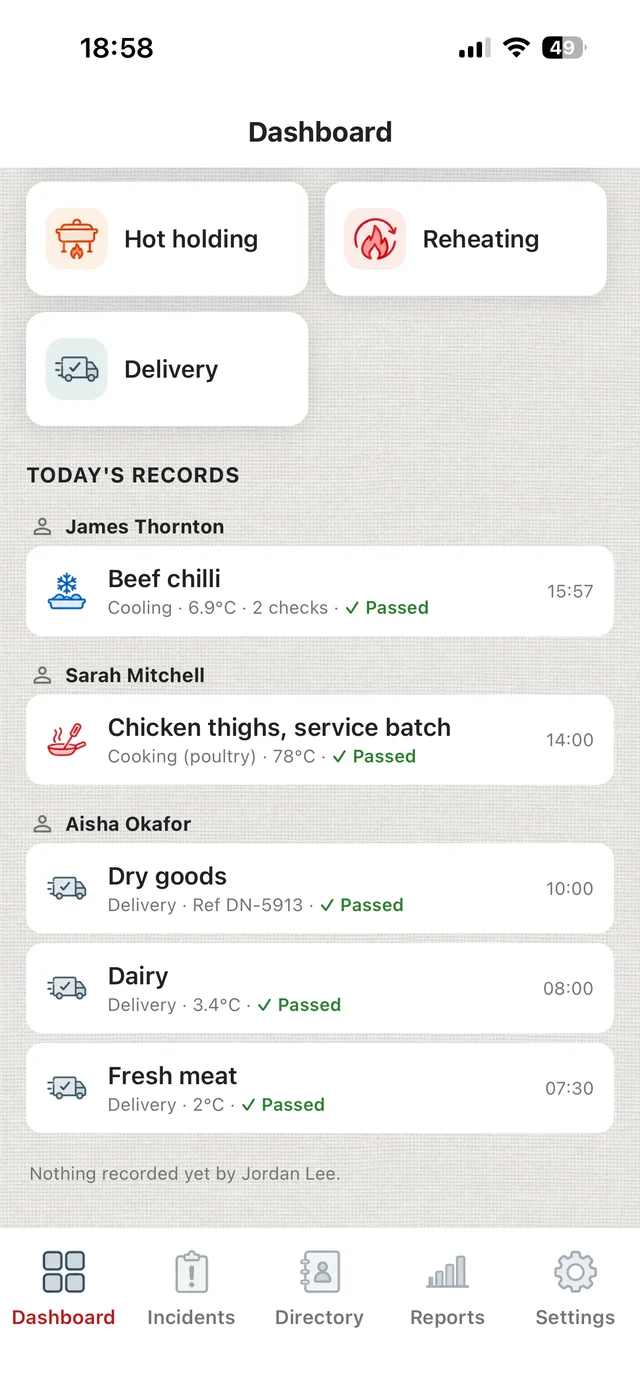
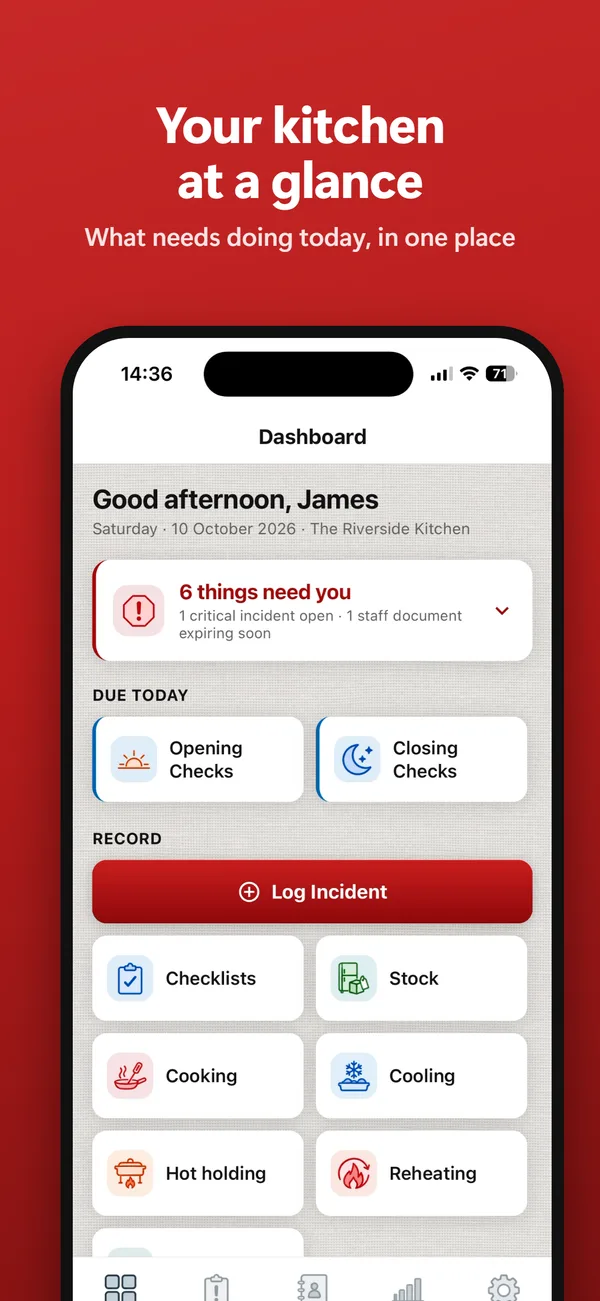
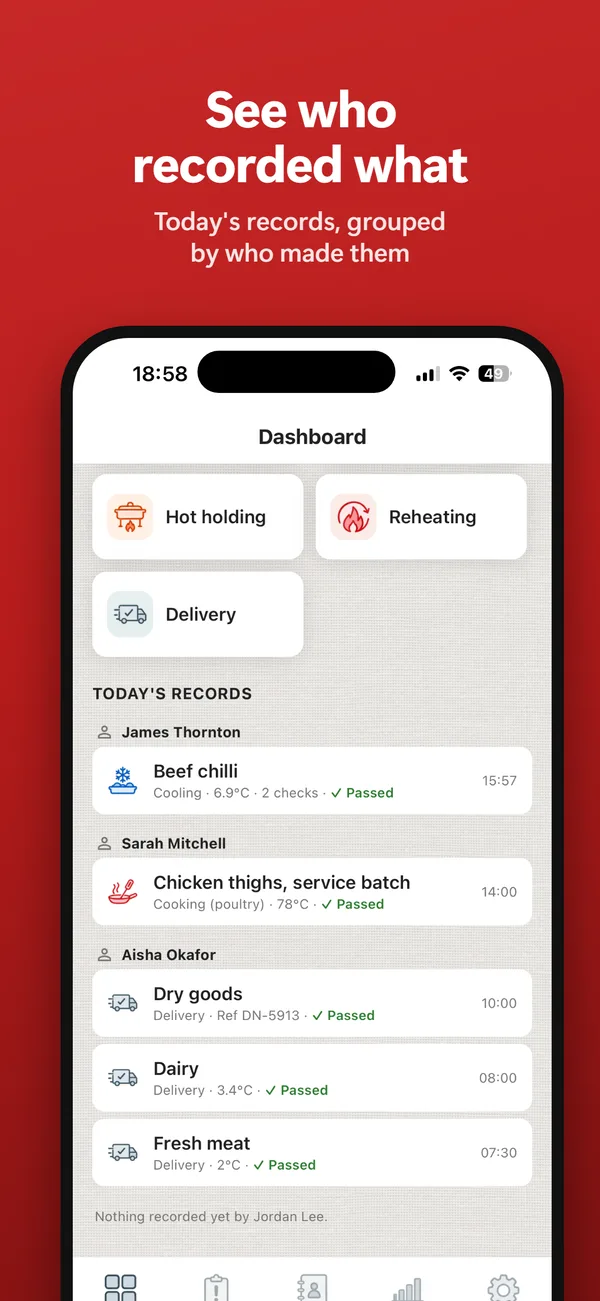
See who recorded what.

Today's records, grouped by who made them.

ChefsRecords dashboard listing today's records under the name of who made each one: beef chilli cooled to 6.9C in two checks, chicken thighs cooked to 78C, and three deliveries, all passed
When something goes wrong

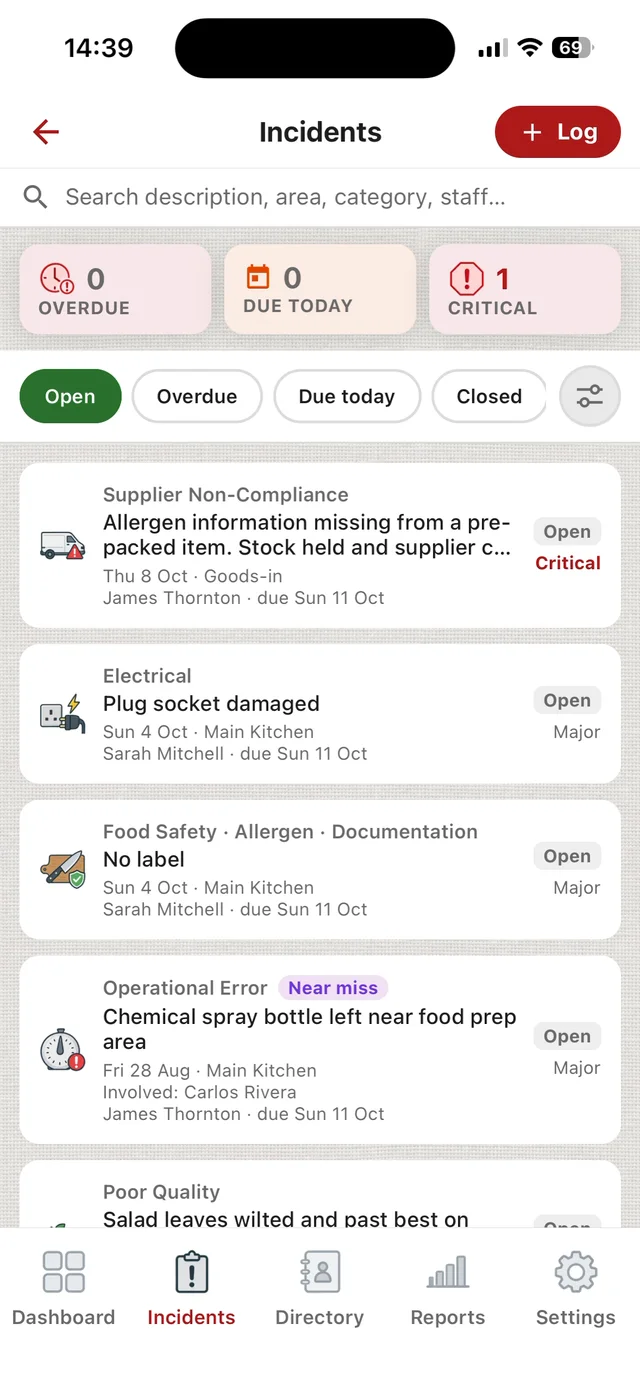
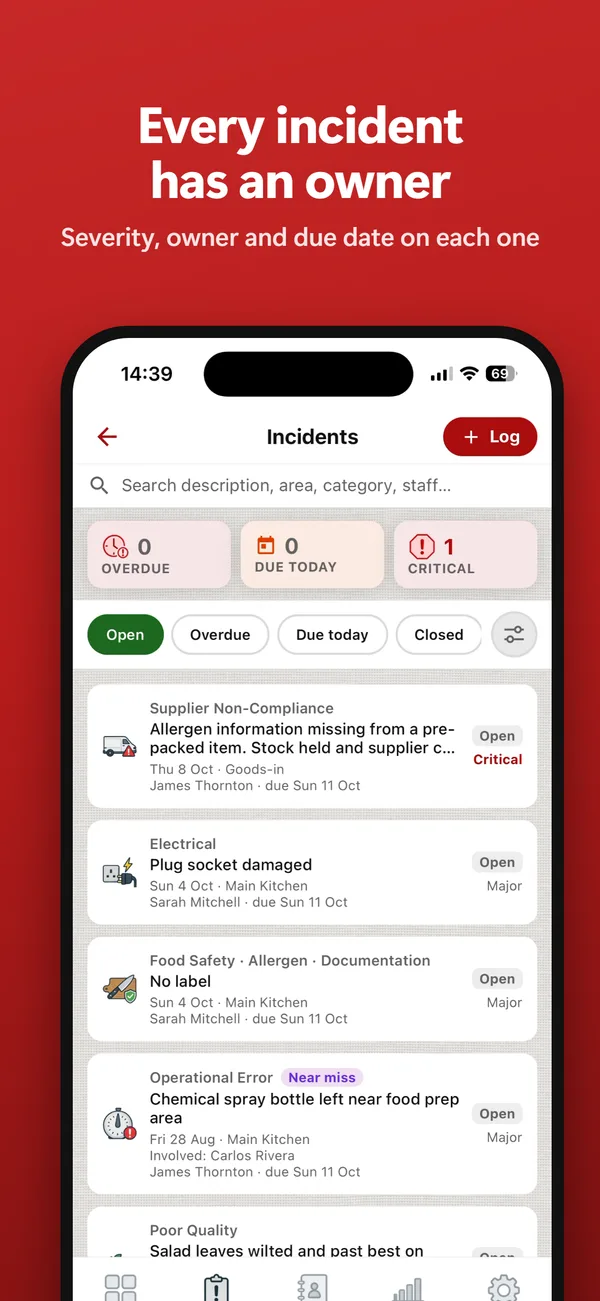
Every incident has an owner.

Severity, owner and due date on each one.

ChefsRecords incidents list: open incidents with their category, severity, who owns each one and when it is due
When the inspector visits

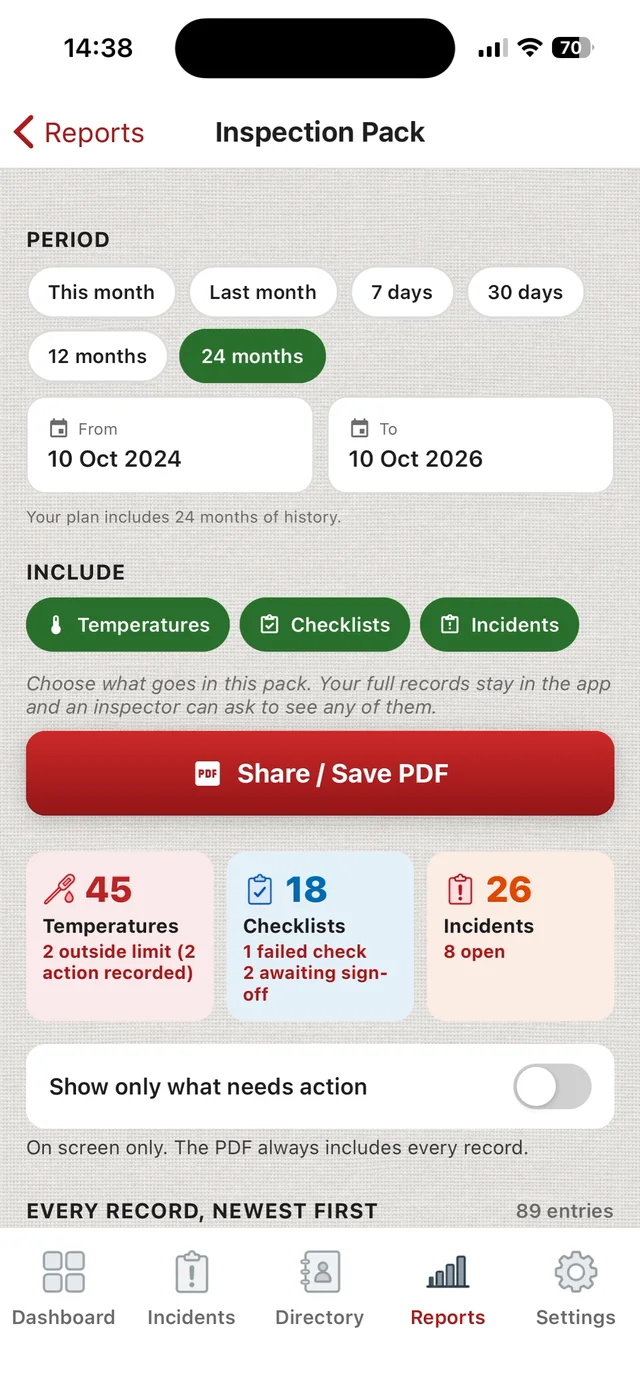
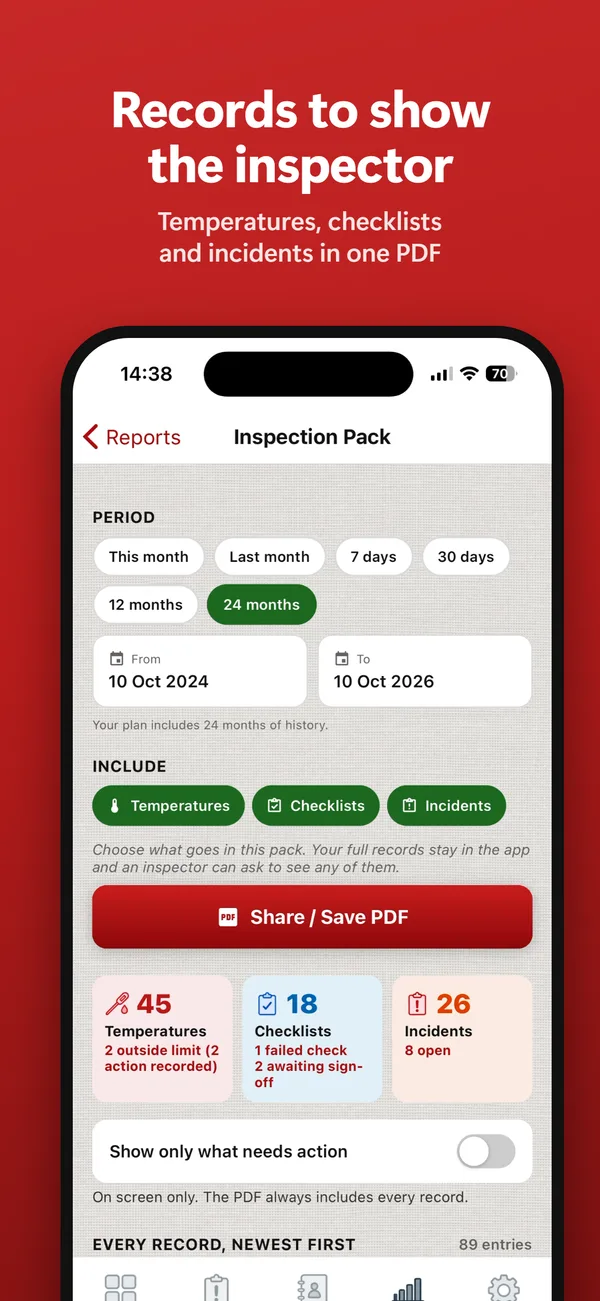
Records to show the inspector.

Temperatures, checklists and incidents in one PDF.

ChefsRecords Inspection Pack with temperatures, checklists and incidents included and a Share / Save PDF button

Works with no signal

Walk-ins and cellars kill reception.

Temperatures, checklist ticks and new incidents are saved on the phone, encrypted, and sync by themselves when you are back in range. Readings keep the time you took them.

Incidents and near misses

Log what nearly went wrong, too.

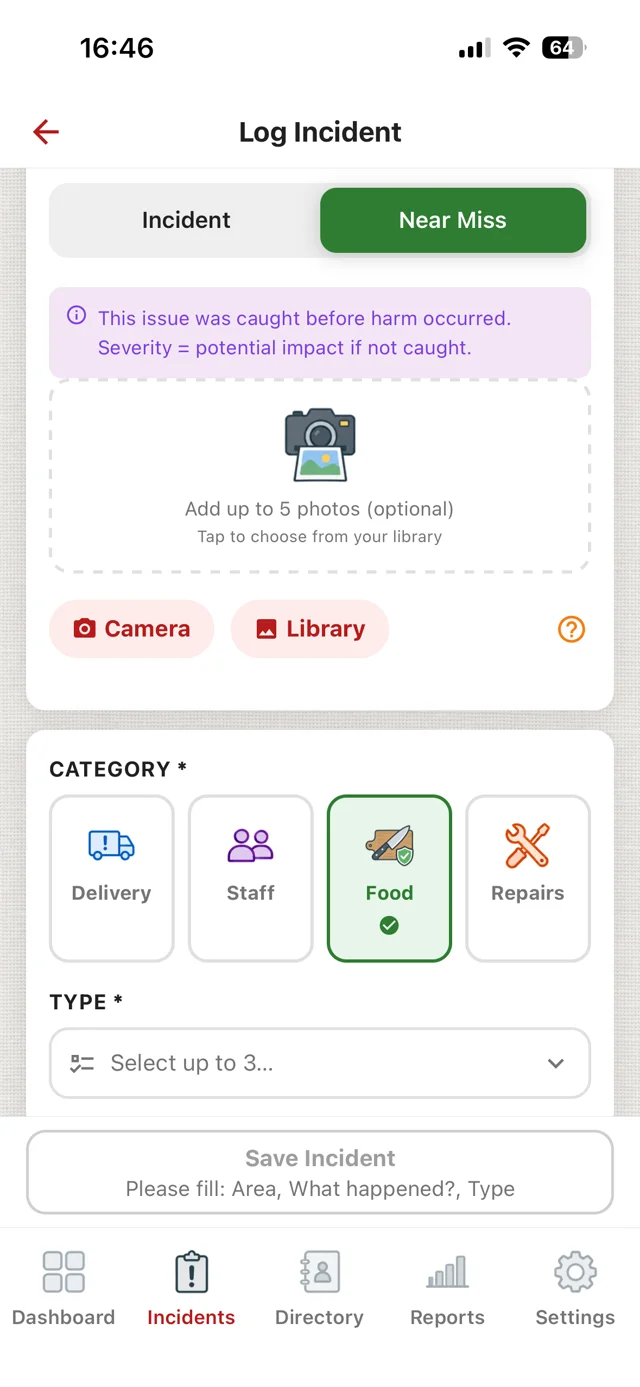
Choose Incident or Near Miss, then pick from ready-made types for deliveries, staff, food and repairs - allergen risk, stored unsafely, past use-by, pest sign, equipment fault, safety hazard and more. Set how serious it is, or for a near miss, how serious it could have been.

  • A date to act by, set from the severity, and an overdue flag when it passes.
  • Closed only when someone writes what was done and who checked the fix worked.
  • The same type of problem logged twice in the same named area within 30 days is flagged as a repeat.
  • Near misses are marked as near misses in the Incident Log, the Near Miss report and the Inspection Pack.

Read the guide: near misses in a kitchen

ChefsRecords Log Incident with Near Miss chosen: this issue was caught before harm occurred, severity means the potential impact if not caught. Photos, and the categories Delivery, Staff, Food and Repairs.

What it does

Seven things, built around how a kitchen actually runs.

Temperature workflows

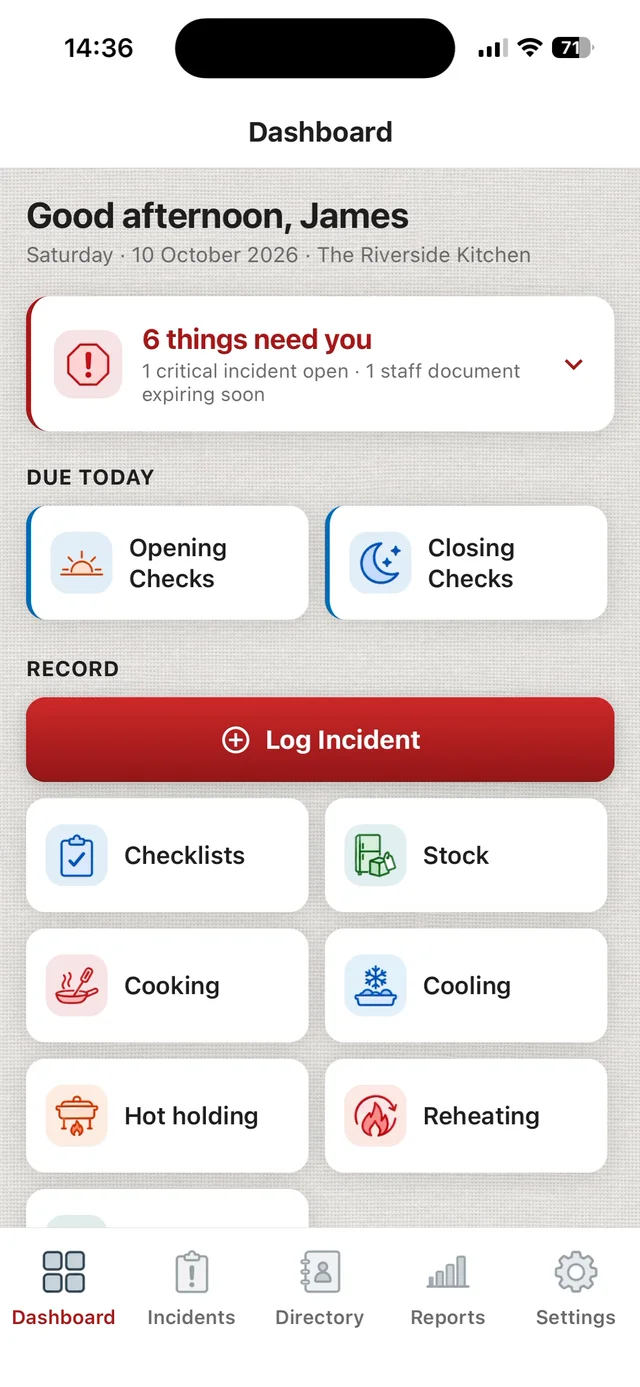
Cooking, cooling, hot holding, reheating and deliveries, each checked against a limit - the legal one where the law sets a number, and your kitchen's own target where it does not. Start a timer on cooling or hot holding and the app reminds you when the next check is due, so the cooling check that is easy to forget is not left to memory. Every reading saved with the time it was taken and who took it.

Repeat incident detection

The app flags automatically when the same type of incident is logged again in the same named area inside a 30-day window. Stop managing the same problem informally. Start seeing it.

Reports and exports

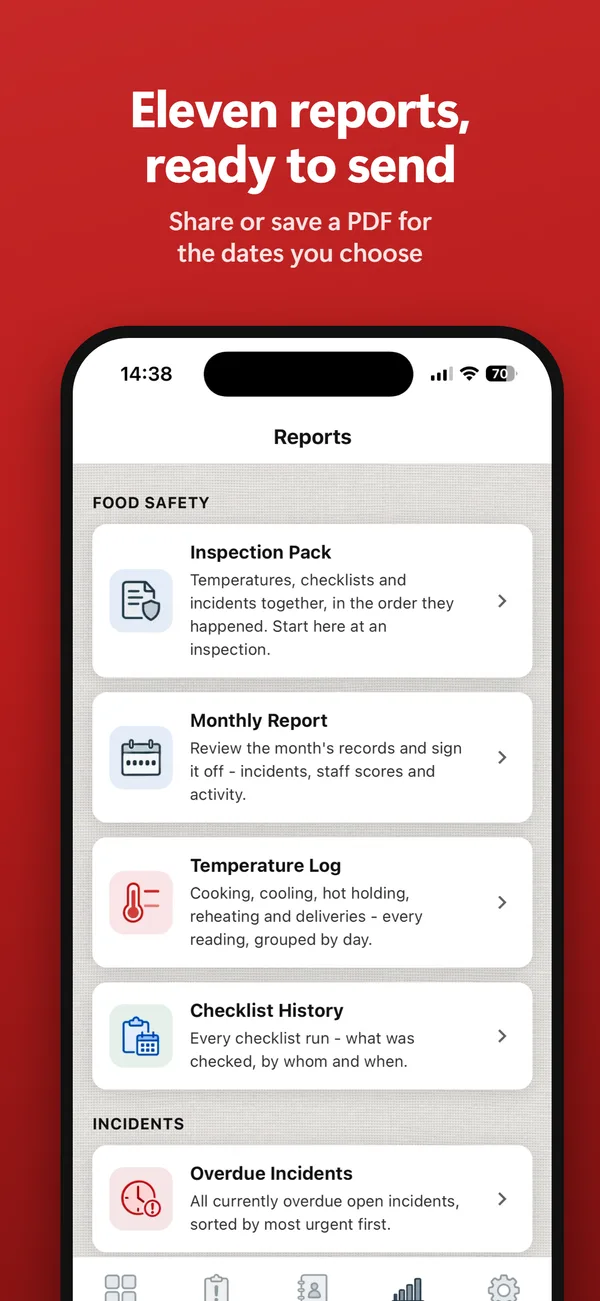
Eleven reports, led by the Inspection Pack - one document with your temperatures, checklists and incidents for any date range, ready to hand an EHO. Export as PDF or email, with page numbers, and every failed check showing what was done about it - or that nothing was recorded.

Incident reporting

Log food safety, staff, and maintenance incidents in seconds. Attach photos, set severity and a due date, and close with a corrective action.

Staff records

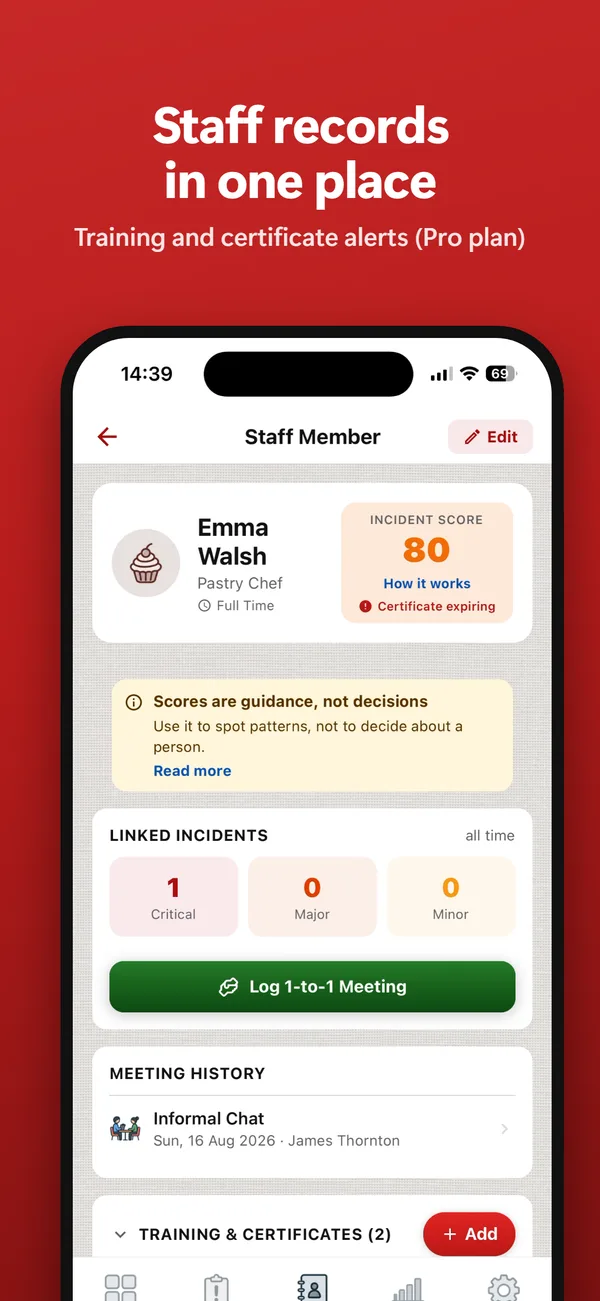
Keep each team member's training and right-to-work in date, log lateness, absence and overtime, and record 1-to-1s and return-to-work meetings with a signature. A per-person view of their linked incidents and activity, so patterns surface without living in your head.

Training, right to work and return-to-work interviews: Pro plan

Daily checklists

Build your own recurring checklists for opening, closing and deep-clean routines - daily, weekly or monthly. Items can be a simple tick or a temperature reading against its limit. Tick them off as the shift runs and keep a clean, signed-off history of what was checked and when.

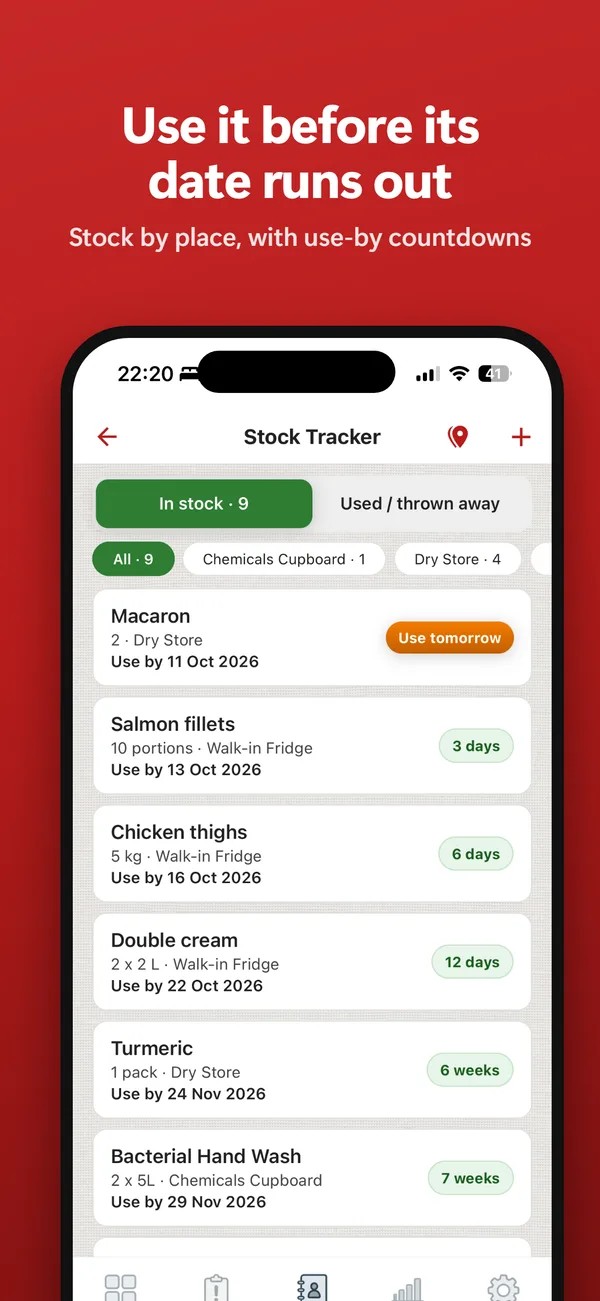
Stock expiry tracking

Never find a box of canapé bases that went out of date last week. Your phone warns you before the use-by date, and once it passes the item shows in red for the whole kitchen - so whoever is at the fridge knows to bin it.

Standard and Pro plans

Your team

One kitchen. Everyone signs in as themselves.

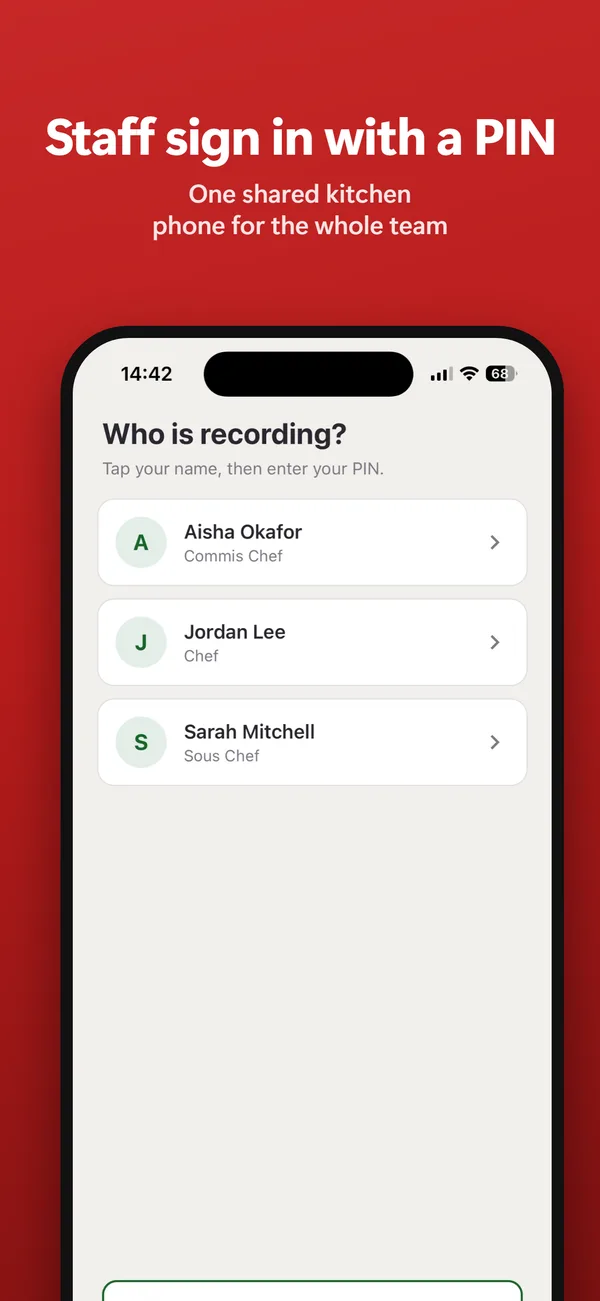
Each person records under their own name, on one shared kitchen phone or on their own. A Manager adds the team and decides who does what.

Manager

Signs in with email and password. Sets up the kitchen, the team, checklists and limits. Sees every record and report, and is the only one who opens the staff files.

Supervisor

Runs a shift. Signs in with a 6-digit PIN. Records, answers failed readings, logs incidents, signs off checklists and opens most reports.

Staff

Commis chefs and kitchen porters. Sign in with a PIN. Record temperatures, tick off checklists and use the stock list. No incidents and no reports.

One shared kitchen phone

A Manager links the phone once with a code. After that, Supervisors and Staff tap their name and enter their PIN, and a Manager signs in with email. The phone goes back to the name list when it is left idle. Every record shows who made it.

Tasks

Give a checklist to one person. It goes to the top of their list, and only their phone gets the reminder. Anyone can still complete it, so nothing is stuck when they are off. Checklists nobody is given remind everyone.

Pro plan

Your records, kept in the UK

Everything your kitchen records is stored on servers in London, encrypted, and saved as you work - so a lost or replaced phone does not mean a lost evidence trail. Only your team can see it, each person only what their role allows. A Manager can export the kitchen's records as a spreadsheet at any time.

Built for UK kitchens

Written around UK inspection culture - Environmental Health visits, due diligence, and the ACAS Code of Practice. Not a US product with the spelling changed.

Built by a working Executive Chef

ChefsRecords is designed and run by an Executive Chef still working in a UK kitchen, not a software company guessing at what a service looks like.

Contract cateringHospital kitchensSchool cateringWorkplace restaurantsCare homesRestaurants and pubs

Free tool

Write your food safety plan, free.

A plan says what you do. Your daily records show that you do it.

Work through the FSA's safe methods for caterers in your own words, then print your plan or save it as a PDF. For small restaurants, cafes, pubs and takeaways in England and Wales. No account, and nothing you type is sent to us.

Plans

Start with 14 days of free access.

No card required, and nothing to cancel if you decide it is not for you. If you subscribe during the 14 days, your paid plan starts that day.

Trial

Free / 14 days

Try it on a real service

  • Up to 10 team logins
  • Up to 5 staff records
  • Up to 20 incidents
  • Up to 3 suppliers
  • 1 photo per incident
  • For the 14 days: checklists, stock tracker, all 11 reports and PDF export

After the 14 days your records stay. You can keep recording cooking, cooling, hot-holding, reheating and delivery temperatures, but most reports, PDF export, checklists (including fridge checks) and stock need Standard or Pro.

RECOMMENDED

Standard

£19.99 / month£199.99 / year
or £199.99 / yearor £19.99 / month

Per kitchen - up to 10 team logins included

For kitchen managers and smaller teams

  • Up to 10 team logins (Managers, Supervisors and Staff, each with their own sign-in)
  • Up to 10 staff records and 10 suppliers
  • Unlimited incidents, 3 photos each
  • All 11 reports, PDF and email export
  • Custom recurring checklists
  • Stock expiry tracker
  • Reports up to 12 months back

Pro

£34.99 / month£349.99 / year
or £349.99 / yearor £34.99 / month

Per kitchen - up to 50 team logins included

For senior kitchen managers and larger teams

  • Everything in Standard
  • Up to 50 team logins
  • Unlimited staff records and suppliers
  • Tasks: give a checklist to one person
  • 5 photos per incident
  • Training and certificate expiry alerts
  • Right to Work reminders
  • Return to Work interviews with signature
  • Reports up to 24 months back

Changing plan never deletes your records. The months are how far back a report can reach.

FAQ

Questions chefs actually ask.

Does this replace my food safety management system?

No. ChefsRecords holds your temperature checks and daily records, so it can take the place of a paper temperature log - but your legal food safety management system stays exactly as it is, and so do your cleaning schedules, allergen matrices and supplier paperwork. What it adds on top is the management record: incidents, actions, patterns, and people.

We already write everything down. Why change?

A notebook holds the facts, but it cannot tell you the fryer has failed three times in a month, and you cannot hand a WhatsApp thread to an inspector. ChefsRecords flags repeats automatically and turns the same five-second entries into a PDF you can put on the table.

What happens when the EHO visits?

You export the Inspection Pack - one document with your temperatures, checklists and incidents for whatever date range they ask for. Eleven reports in all cover temperatures, checklists, incidents, near misses, staff, attendance, suppliers and trends - each one dated, showing who recorded it, and ready to email or print before the officer has finished their tea.

Is my data safe if I lose my phone?

Yes. Records are saved to the cloud, so a lost or replaced phone does not mean a lost evidence trail. Sign in on the new device and carry on. A Manager can sign the old phone out from Settings > Sign out of my other devices. Anything saved with no signal that had not yet synced is only on the old phone.

Where is my data stored?

In the UK. Your kitchen's records and photos are held in London and do not leave the UK in normal operation. They are encrypted, and only people in your kitchen can see them. A few services handle a little data to do their job: password reset emails and messages from our contact form are sent through Resend, a US company that keeps its sending records in the United States; anonymous crash reports go to Sentry, in Germany, with names and details removed; and your subscription status goes to RevenueCat, which never sees your records. The full detail is in our Privacy Policy.

Is £19.99 a month worth it?

It is one price for the kitchen, not one per person - up to 10 team logins on Standard. What it is built to take off your plate is the paperwork: readings are saved as they are taken, and an Inspection Pack is made from records you already have, instead of an evening with a folder. And the trial is 14 days, free, no card.

Does everyone on the team need to pay?

No. A kitchen has one subscription, paid by its billing Manager. Everyone else on the team signs in on the kitchen's plan - up to 10 people on Standard and up to 50 on Pro - and is never asked to pay.

What happens after the 14-day trial?

Nothing is deleted when the trial ends. If you do not subscribe, the kitchen moves to the free limits: you can keep recording cooking, cooling, hot-holding, reheating and delivery temperatures (fridge checks are on checklists) and up to 20 incidents in total (not Delivery incidents), and a Manager can still export the records as a spreadsheet. Checklists, the stock tracker, PDF and email export and every report except Overdue Incidents need Standard or Pro. The free limits allow one login, so after 2 days only the kitchen's billing Manager can sign in. The rest of the team can sign in again as soon as the kitchen subscribes.

Is there an Android version?

Not yet - ChefsRecords is on iPhone for now. An Android version is in development. Everyone on your team signs in with the app, so if some of them use Android phones, tell us through the contact form and we will let you know when it is ready.

Who is behind it?

An Executive Chef still working in a UK professional kitchen. It was built to run a real service, then turned into an app - not the other way round.
Now on the App Store

Start your 14 days free.

ChefsRecords is on the App Store for iPhone, in the UK. An Android version is in development. No card required for the 14 days.